Introduction
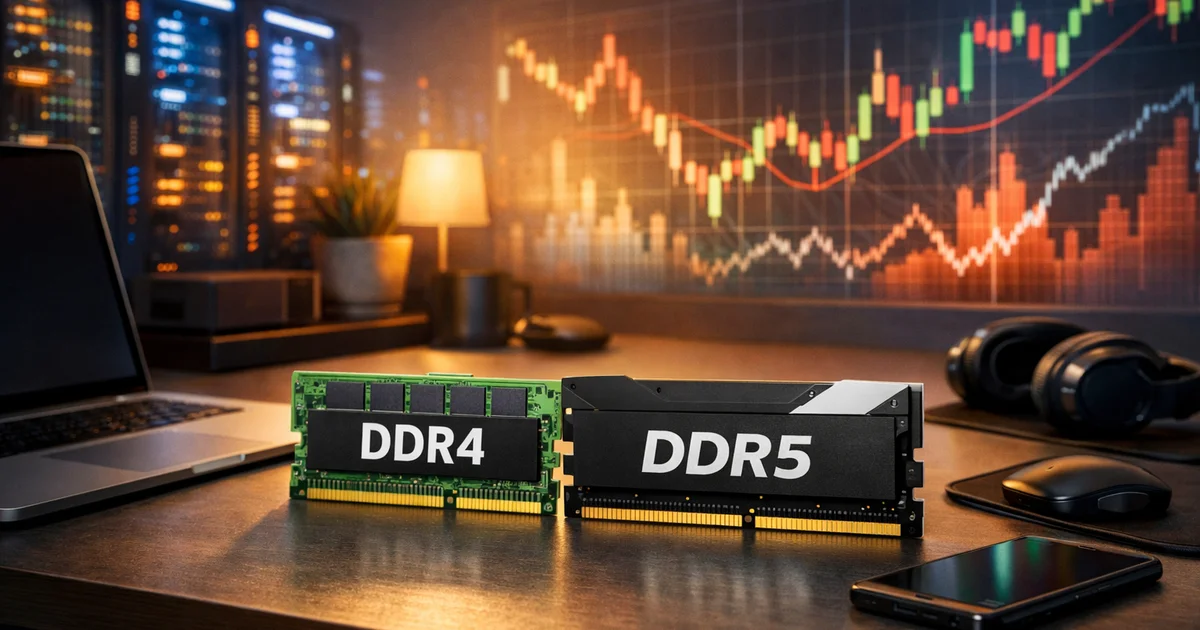
Ah, RAM — the unsung hero of our computing setups. Once a straightforward upgrade, the RAM landscape in 2026 feels more like a wild rollercoaster ride than a simple memory upgrade. Prices are rising, and the market is flooded with confusion thanks to AI data centers gobbling up memory like it’s the last pizza at a tech conference. DDR5 is taking center stage, but don’t count out DDR4 just yet, especially for those of us keeping an eye on our wallets. Let’s dive into this tangled web of memory tech and see what it all means for you.
Why Are RAM Prices Rising?
As we zoom into 2026, RAM prices have taken a hike. Why? Well, the demand from AI and data centers is skyrocketing. Companies are pouring money into building powerful systems to handle their data needs, and guess where that memory is coming from? Yep, the same place you’d be buying for your gaming rig or workstation.
The AI and Datacenter Demand Shift
AI isn’t just a buzzword anymore; it’s a reality that’s reshaping our tech landscape. With companies racing to integrate AI capabilities, the demand for high-performance memory is at an all-time high. This massive shift means manufacturers are focusing more on high-margin memory types like HBM (High Bandwidth Memory), which leaves regular DDR4 and DDR5 in a bit of a lurch. If you’re a normal PC builder, this is your new reality — the market isn’t just boring anymore.
Manufacturers’ Focus: HBM and AI Memory
Let’s face it: companies are in it for the profits. High-margin products like HBM are getting the spotlight as they can command higher prices and offer better performance in niche applications. This shift might leave us regular folks scrambling for DDR4 and DDR5 while the big players scoop up the premium memory.
DDR4: Slowly Disappearing, But Still Alive
Don’t write off DDR4 just yet! Sure, it’s slowly being phased out, but for budget builders, it’s still a solid choice. If you’re upgrading an older system or building a budget gaming rig, DDR4 can still deliver a decent performance without breaking the bank. Plus, it’s widely compatible with older motherboards, so you won’t need to replace your entire setup.
Product Example: Corsair Vengeance LPX DDR4 RAM 32GB (2x16GB) Up to 3200MHz
If you’re looking for a reliable DDR4 option, the Corsair Vengeance LPX is a champion. It’s optimized for both Intel and AMD platforms, ensuring compatibility across the board. With a low profile, it fits nicely in most cases, making it a versatile choice for budget builds.
Product Example: Kingston Fury Beast 16GB 3200MHz DDR4
For a single stick upgrade, the Kingston Fury Beast is cost-efficient and high-performance. It’s ready for Intel XMP and plays nicely with AMD Ryzen too. Perfect if you’re just looking to boost an older system without a full overhaul.
DDR5: The New Default
Now, let’s talk about DDR5, which has officially become the default for many new Intel and AMD builds. With higher speeds and better efficiency, DDR5 is like the cool kid on the block — but it’s not without its quirks.
Product Example: Corsair Vengeance RGB DDR5 RAM 32GB (2x16GB) Up to 6000MHz
The Corsair Vengeance RGB DDR5 is a standout. With dynamic RGB lighting and robust performance, it’s ideal for gamers and creators looking to make a statement while boosting performance. Just remember, to reach those speeds, you’ll need to do some tweaking in the BIOS.
Product Example: Dominator Titanium RGB DDR5 RAM 96GB (4x24GB)
For the enthusiasts out there, the Dominator Titanium RGB offers a whopping 96GB. This beast is designed for extreme performance and aesthetics, with customizable RGB lighting that could rival a rave. But be prepared for the price tag — it’s not for the faint of heart.
Real-World Use Cases: DDR4 vs. DDR5
Let’s break down where these two types of RAM shine:
- Budget Gaming PC: DDR4 is still a champ here. It gets the job done without making your wallet cry.
- Older System Upgrade: Again, DDR4 wins for compatibility and cost.
- New Gaming Build: Go for DDR5 for future-proofing and better performance.
- Creator Workstation: DDR5 is the way to go for those heavy workloads and multitasking needs.
- Laptop Upgrade: DDR5 is ideal, but ensure compatibility with your laptop.
- Enthusiast Build: DDR5, obviously. Flashy RGB and high speeds are a must.
Why “Futureproofing” Can Be Overhyped
Ah, futureproofing — the marketing tactic that makes everything sound irresistible. Just remember, most people won’t need the absolute latest and greatest. Often, what matters more is platform compatibility, capacity needs, stability, and price. Don’t chase the biggest number; focus on what you actually need.
The XMP and EXPO Illusion
Let’s clear the air here: XMP and EXPO profiles aren’t magic buttons that guarantee you’ll reach those advertised speeds. They can require BIOS adjustments and may not work as seamlessly as you’d hope. So, if you’re not comfortable tinkering with your BIOS, you might want to stick to lower speeds.
The 7200MHz Dilemma
And speaking of speeds, let’s not get too caught up in the MHz race. Just because you have a 7200MHz RAM kit doesn’t mean it’s going to be plug-and-play. Compatibility issues are a real pain, and the performance gains may not always be noticeable in real-world scenarios.
Conclusion
So, what’s the takeaway here? Most people should not buy RAM based on the biggest number on the box. Instead, focus on compatibility, capacity needs, stability, price, and what you actually do with your machine. The tech world is in constant flux, but with a little thoughtfulness, you can navigate it without losing your mind or your budget. Embrace the chaos, and remember — your setup should enhance your creativity, not complicate it.


Comments
Join the discussion — your nickname is saved in this browser.
AI is taking all the RAM! What's next? Are they coming for our storage?
I think DDR4 is still decent for casual use, but I like the RGB on DDR5.
why is it always about AI? what about us human gamers?